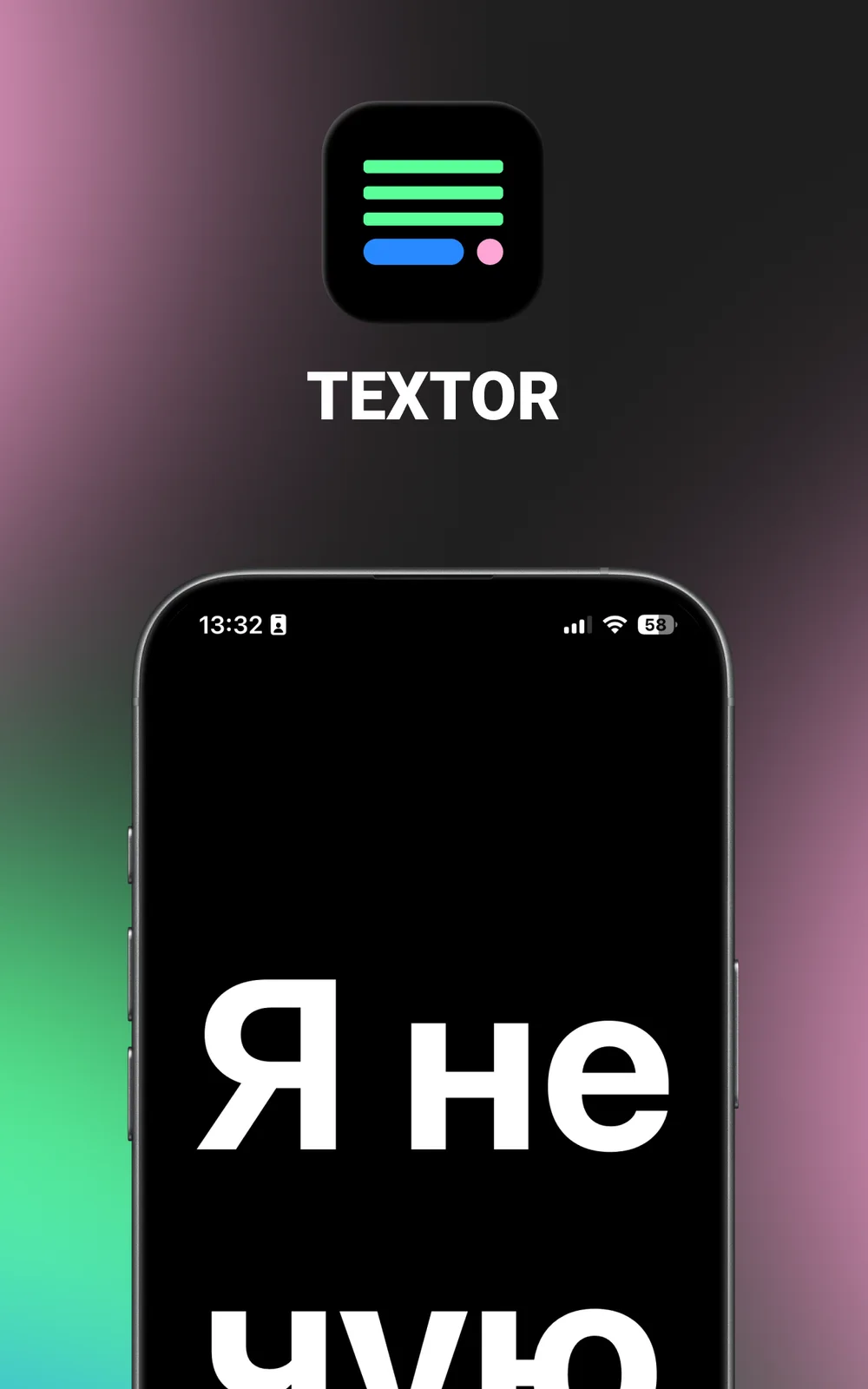
Textor is an app for Deaf people and anyone who finds it easier to communicate in text. People also search for it as "an app for the deaf" — and that is exactly what it is: a simple tool for conversations between Deaf and hearing people. You type, and the other person reads your words in large letters across the whole screen. The other person speaks, and their speech appears as live text right on the phone, without the internet. At QD we built Textor entirely: the design, the iPhone app, the Android app and the website textor.site.
The task
Every day a Deaf person has to explain things in a shop, at the doctor's, at the post office, on public transport, at a lecture. Pen and paper are not always at hand, and typing into a notes app and turning the phone around is awkward: the font is small, the screen dims, the other person squints. Understanding what the person opposite is saying is even harder — especially if they do not know sign language.
Textor was created by a Deaf developer, Anatolii Kuralov — the founder of QD. So the requirements came not from a brief but from personal experience: the app must work in a second, with one hand, without sign-up, without the internet and without ads.
The solution: an app for Deaf people that works in any situation
Large full-screen text
The main screen is an input field and a pink button that appears while you type. One tap, and the phrase unfolds across the whole screen in a large font. A swipe changes the size, one touch closes it, a double tap closes it and clears the field. While the text is on screen the phone does not dim, and brightness can be turned up to the maximum. The author refined these gestures over years, and they are the same on iPhone and Android.
Favourites, categories and history
Phrases a person shows every day — "I can't hear", "Please write it down" — live as chips on the main screen. There are ready-made categories (shop, medicine, transport, office), custom categories with a colour and an icon, a history of up to 1,000 phrases and suggestions while typing. If a phrase is shown often, Textor suggests adding it to Favourites.
Live transcription without the internet
The most complex part of the project is live speech transcription. The other person's speech turns into text in real time — at a lecture, a meeting or in a conversation. Recognition runs on the phone itself: on iPhone it is the Whisper large-v3 turbo model via WhisperKit, on Android the Vosk language models. The model is downloaded once with the user's consent, after that no internet is needed and no audio is sent anywhere. A glowing wave shows that the microphone hears the speaker, and transcriptions are saved in the history.
Tools for a quick conversation
- "Yes / No" — a question and big answer buttons for the other person, including custom options like "Coffee / Tea / Water".
- "Numbers" — the other person types a price, a number or a time on big buttons.
- "Drawing" — an arrow, a sketch or a note with your finger when words are not enough.
- "Text from camera" — a sign, a prescription or a note becomes text.
Accessibility in every detail
- Vibration for every action. For a Deaf person this confirms that the tap worked — instead of a sound.
- A WCAG contrast check right in the colour settings for large text: you simply cannot pick an unreadable combination.
- Labels for VoiceOver and TalkBack — blind people can use the app too.
- Language without barriers. The interface has no words like "Listen" that sound discriminatory to Deaf people.
- 6 interface languages: Ukrainian, English, German, Spanish, Italian, French.
Privacy by default
History, Favourites, categories, settings and transcriptions are stored only on the device. No sign-up, tracking, analytics or ads. History can be protected with Face ID or a fingerprint, and a backup moves all data to a new phone — and it is compatible between iPhone and Android.
Two platforms — one logic
The iOS version is written in Swift and SwiftUI, the Android version in Kotlin and Jetpack Compose. Android repeats the iPhone behaviour down to the details: the same gestures, the same corner radii and colours, the same data keys. The key logic is covered by automated tests — 80 for the iOS version alone.
The textor.site website
The website explains what the app can do and leads to the App Store and Google Play. The first screen shows a live transcription demo: a lecture text appears line by line, just like in the app. There is a page for supporting the project, a privacy policy and a contact form. The website is light and fast: static pages, Tailwind CSS, minimal scripts.
The result
- an app for iPhone (iOS 17.6 and later) and Android (8.0 and later), version 2.0;
- 100% free and 0 ads;
- offline speech transcription on the phone;
- a shared backup format for both platforms;
- a showcase website with a live demo.
Textor is what we do best: a product where accessibility is not an "option" but the foundation. Want an app or a website that is comfortable for everyone? Tell us about your idea or see how we build mobile apps.